How to Write a WCAG 2.2 Accessibility Statement: Your Complete UK Template (2026)

Here's a truth that might sting: your website could be breaking the law right now, and you might not even know it.
Under the Equality Act 2010, UK organisations have a legal duty to make their websites accessible, and the first thing a regulator will ask for is your accessibility statement.
Do you have one? Is it compliant? Does it actually reflect the state of your website?
If you've been putting this off because it feels complicated, take a breath. By the end of this guide, you'll have everything you need, including a practical accessibility statement template UK organisations can use immediately.
What Is an Accessibility Statement and Why Does Your UK Organisation Need One?
An accessibility statement is a public declaration that tells visitors how accessible your website is, what barriers exist, and how you're addressing them. Think of it as a transparency document - a handshake between your organisation and the people who use your site.
But here's what many organisations miss: it's not optional.
Public sector bodies are legally required to publish one under the Public Sector Bodies Accessibility Regulations 2018. Private organisations? While not explicitly mandated, the Equality Act creates an implicit requirement - and the European Accessibility Act (enforced from June 2025) means many UK organisations serving EU customers will need one too.
The deadline pressure is real. By 2026, failing to demonstrate accessibility compliance could be expensive.
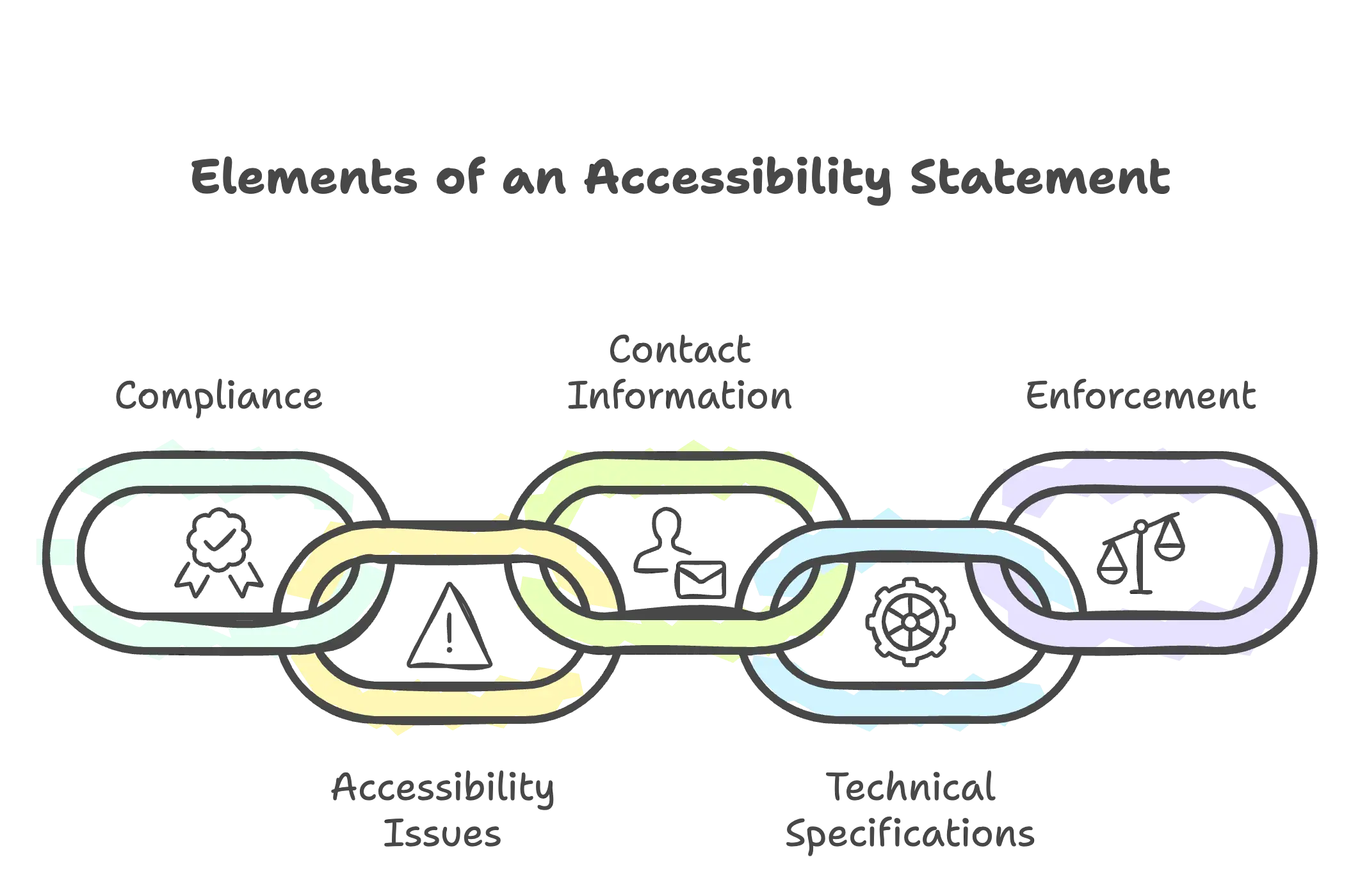
The Five Essential Elements of a WCAG 2.2 Compliant Accessibility Statement
A proper WCAG accessibility statement UK isn't a single paragraph tucked away in your footer. It's a structured document with specific components. Miss any of these, and your statement won't hold up to scrutiny.
1. Compliance Status Declaration
Be honest about where you stand. WCAG 2.2 recognises three compliance levels:
- Fully compliant – Your site meets all applicable success criteria
- Partially compliant – Most content is accessible, but some barriers remain
- Non-compliant – Significant accessibility barriers exist
Here's a counterintuitive truth: admitting partial compliance is often better than claiming full compliance you can't prove. Honesty builds trust; false claims invite complaints and legal exposure.
2. Known Accessibility Issues
List specific barriers users might encounter. Don't hide behind vague language—be precise:
- Which pages or features have issues
- What type of barrier it creates (e.g., "Images on our blog lack alternative text")
- Your timeline for fixing each issue
3. Contact Information for Accessibility Concerns
Provide a clear, accessible way for users to report problems or request assistance. Include an email address, phone number, and - crucially - your expected response time. Twenty-eight days is the maximum for public sector bodies; faster is always better.
4. Technical Specifications
State which accessibility standard you've tested against. For UK organisations, this typically means:
- WCAG 2.2 Level AA (the current recommended standard)
- Testing methods used (automated tools, manual testing, user testing)
- Date of last assessment
5. Enforcement Procedure Information
Public sector organisations must include details about the enforcement body (the Equality and Human Rights Commission for most of England, Wales, and Scotland). Even private organisations should explain how complaints will be handled.
Your UK Accessibility Statement Template: A Ready-to-Use Framework
Copy this website accessibility statement template and adapt it to your organisation. Replace the bracketed sections with your specific details:
Accessibility Statement for [Organisation Name]
[Organisation Name] is committed to making [website URL] accessible, in accordance with the Public Sector Bodies (Websites and Mobile Applications) Accessibility Regulations 2018 and the Equality Act 2010.
This website is [fully/partially/not] compliant with the Web Content Accessibility Guidelines version 2.2 AA standard.
Non-accessible content: [List specific issues, affected pages, and remediation timeline]
Feedback and contact: If you encounter accessibility barriers, please contact [name/role] at [email] or [phone]. We aim to respond within [X] working days.
This statement was prepared on [date] based on [testing method, e.g., independent audit/self-assessment].
Three Mistakes That Invalidate Your Accessibility Statement
Even well-intentioned statements fail when they fall into these traps:
- Vague compliance claims. Saying "we strive to be accessible" means nothing legally. Specify the standard (WCAG 2.2 AA) and your compliance level.
- Outdated information. A statement from 2021 referencing WCAG 2.1 signals neglect. Review and update annually at minimum.
- Hiding it away. Your statement should be findable within two clicks from any page - ideally linked in the footer alongside your privacy policy.
Special Considerations for UK Charities and Non-Profits
If you're a charity, CIC, or social enterprise, you might wonder whether these requirements apply to you. The short answer: yes.
The Equality Act applies regardless of sector. And consider this: 16.8 million disabled people in the UK control £274 billion in annual spending power. An accessible website isn't just legally important, it's strategically essential for reaching your beneficiaries and donors.
You can check out our blog post on whether your charity legally need an accessible website.
Your Next Step: From Statement to Action
You now have everything you need to create a compliant accessibility statement template UK organisations can actually use. But here's the uncomfortable question: do you actually know how accessible your website is?
A statement is only as credible as the audit behind it. If you're guessing at your compliance status, you're building on sand.
We offer a free accessibility video review for UK charities and small businesses. In a short video, you'll know exactly where you stand - and what needs to happen next.